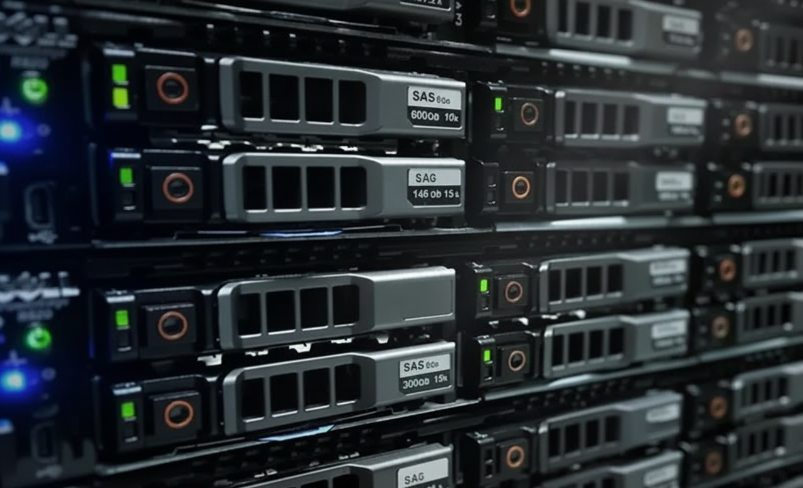
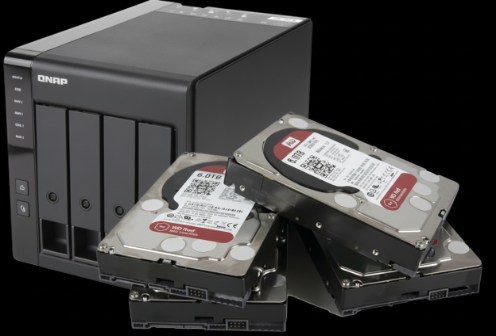
RAID 0, 1, 5, 6, 10, NAS, SAN, and enterprise servers. When your array goes down, your business stops. Our ISO Class 100 cleanroom engineers have spent 17 years rebuilding failed arrays that other labs declared unrecoverable. We image every drive without modification and reconstruct your array from the ground up.
See what our clients say about getting their data back.
Free overnight shipping. 15–20 minute engineer response. Full cleanroom diagnostic. Every single case — no exceptions, no tiers to unlock.
Your device failed but you're not in crisis. Old photos, archived files, a laptop that died last month. We ship you a free prepaid label, assess it in our cleanroom, and send you a full report.
You can still operate, but the clock is ticking. A failed server, a critical workstation, client data you need by end of week. Your case moves to the front of the queue.
RAID array crashed. Production server offline. Court deadline in 48 hours. Your device gets assessed within 24 hours. Once you approve, recovery starts immediately.
Call us — an engineer will assess your situation and recommend the right path.
Call 1-888-749-3786Whether your failed array is a two-drive NAS mirror or a 24-bay enterprise SAN, our engineers have the tools and experience to reconstruct it. We work with every standard and proprietary RAID configuration.
Striped. No redundancy. One drive fails, all data lost. We de-stripe and rebuild from raw images.
Mirrored. Drive-for-drive copy. If both mirrors fail or desync, we recover the most complete image.
Striped with distributed parity. Most common. Survives one drive loss — but not two. We rebuild parity to recover.
Double parity. Survives two simultaneous drive failures. Complex reconstruction, but high success rates.
Mirrored stripes. Enterprise performance with redundancy. We recover even when multiple mirrors fail.
Striped RAID 5. High-performance enterprise arrays. Multi-layer reconstruction required for recovery.
Striped RAID 6. Maximum enterprise redundancy. Complex recovery, but our engineers have the toolset.
Synology SHR, QNAP, Drobo BeyondRAID, and other proprietary NAS configurations. We handle them all.
Enterprise storage area networks. Multi-LUN, iSCSI, fibre channel — recovered at the block level.
VMware VMDK, Hyper-V VHD/VHDX. We extract virtual machines from failed arrays and recover the data inside.
Every drive in your array is individually imaged in our ISO Class 100 cleanroom without modifying a single byte. We then reconstruct the RAID virtually — identifying stripe size, parity rotation, drive order, and offset — to rebuild the complete volume and extract your data. This non-destructive approach is why we succeed where forced rebuilds fail.
We work with every major NAS platform, including proprietary RAID implementations that standard tools cannot read. Our engineers maintain firmware databases and RAID parameter profiles for each manufacturer.
From rack-mount servers to blade systems, we recover data from enterprise hardware running any RAID controller, operating system, or hypervisor configuration.
RAID was designed for redundancy, not for data protection. The false sense of security it provides is the reason so many businesses lose data to RAID failures. Understanding why arrays fail is the first step toward knowing what to do when yours does.
The most common scenario we see: a drive fails silently in a RAID 5 array. The array continues operating in degraded mode. Weeks or months later, a second drive fails — and the entire array goes down. By this point, the first failed drive may have been experiencing degradation for months, and the remaining drives have been under increased stress the entire time.
This is the single most important warning on this page. We see more permanent data loss caused by well-intentioned rebuild attempts than by the original failure itself. A failed rebuild overwrites the very data we need to recover your files.
What to do instead: Power off the array. Label each drive with its bay position. Ship all drives to our lab. We image every drive without modification and reconstruct the array virtually — no data on any drive is ever changed.
Call Us Now: 1-888-749-3786 →Learn how our engineers approach RAID and server recovery — from multi-drive imaging through virtual array reconstruction and data extraction.
Request a free prepaid UPS shipping label. Label each drive with its bay position. Pack all drives from the array — we need every one to reconstruct the RAID. All drives are fully insured in transit both ways.
Each drive is individually assessed in our ISO Class 100 cleanroom. We check mechanical health, firmware status, SMART data, and platter condition. We identify the RAID parameters and determine recoverability of the complete array.
You receive a detailed report explaining the failure across all drives, the RAID configuration we identified, and a fixed-price recovery quote. You decide whether to proceed. No pressure, no hidden fees.
Every drive is imaged sector by sector without modification. We then virtually reconstruct the RAID — identifying stripe size, parity rotation, drive order, and offset — to rebuild the complete volume and extract your files.
We send a complete recovered file list for verification. Your data is returned on encrypted external drives or via secure digital transfer. All copies are permanently deleted from our systems upon confirmation of receipt.
Most data recovery labs won't put this in writing. We do — because our 96% success rate, our Tier 3 cleanroom, and 17 years of engineering depth mean we're confident enough to stand behind every qualifying case we take.
A note on qualifying cases. Our guarantee covers the vast majority of drives that come through our lab. Certain cases — fire damage, previously-opened drives, specific legacy drive models, and some encrypted/forensic scenarios — have their own terms because the work is inherently harder to guarantee. Every lab handles these differently. Ours is simple: call us first at 1-888-749-3786 and an engineer will confirm your case status in 15 minutes.
Yes. RAID 0 has no redundancy — data is striped across all drives with no parity or mirroring. When one drive fails, the entire array becomes inaccessible. However, the data is still physically present on the platters of every drive in the array. Our engineers image each drive individually in our ISO Class 100 cleanroom, then use specialized RAID reconstruction tools to de-stripe the data and rebuild the original file system. The success of RAID 0 recovery depends on the condition of every drive in the array. If all drives can be imaged successfully, recovery rates are very high. This is why it is critical not to attempt a rebuild or run any utilities on the remaining drives — you risk overwriting the data that is still intact.
Call 1-888-749-3786 — an engineer will walk you through your specific situation in 15–20 minutes. 24/7.
No. A degraded RAID array means one drive has already failed and the array is running without its safety net. In this state, the remaining drives are under significantly increased workload. This added stress dramatically increases the probability of a second drive failure, which would cause total array failure. Power down the NAS immediately, do not attempt to rebuild with a replacement drive, and contact our engineers at 1-888-749-3786. A failed rebuild on a degraded array is one of the most common causes of catastrophic RAID data loss we see in our lab.
RAID recovery typically takes 7 to 14 business days, depending on the number of drives, the array configuration, the type of failure, and the total data volume. Each drive must be individually assessed and imaged in our cleanroom, the RAID parameters must be identified and verified, and the array must be virtually reconstructed before files can be extracted. Large enterprise arrays with multiple terabytes of data naturally take longer. Emergency expedited service is available for business-critical situations — call our 24/7 line at 1-888-749-3786.
Raid and server recovery pricing depends on the device, the failure type, and the complexity of the case — which is why every engagement starts with a real Tier 3 cleanroom diagnostic, not a software scan. Once our engineers have assessed your drive, they'll give you a clear written quote before any recovery work begins. You approve the quote, or you walk away. No surprises.
Call 1-888-749-3786 — an engineer will walk you through your specific situation in 15–20 minutes. 24/7.
A RAID rebuild writes new parity data across every drive in the array. If the rebuild fails partway through — due to a second drive failure, bad sectors, or controller error — the original RAID structure is destroyed and replaced with an incomplete, corrupted version. The original data that was still recoverable before the rebuild attempt may now be permanently overwritten. Additionally, inserting a replacement drive and forcing a rebuild puts extreme stress on the remaining drives, dramatically increasing the chance of a second failure. Our engineers recover data by imaging each drive as-is, without modifying any data on any drive, then virtually reconstructing the array.
Yes. We regularly recover VMware VMDK, Hyper-V VHD/VHDX, and other hypervisor formats from failed RAID arrays. The process involves imaging each physical drive, reconstructing the RAID array virtually, then extracting the VM disk files from the reconstructed volume. Once the virtual disk files are recovered, we can mount them and extract the data stored inside the virtual machines — including files, databases, and application data. This multi-layer recovery process requires expertise in both RAID reconstruction and virtual machine file systems.
We recover data from all standard RAID configurations: RAID 0 (striping), RAID 1 (mirroring), RAID 5 (striping with distributed parity), RAID 6 (striping with double parity), RAID 10/1+0 (mirrored stripes), RAID 50, and RAID 60. We also handle proprietary RAID implementations used by NAS manufacturers like Synology SHR, QNAP, Drobo BeyondRAID, and others. Our engineers work with hardware RAID controllers from all major manufacturers, software RAID implementations (Linux mdraid, Windows Dynamic Disks, ZFS, Btrfs), and hybrid configurations.
Yes, but you must provide the encryption key or password. NAS devices from Synology, QNAP, and others offer volume-level encryption. When we recover data from an encrypted NAS volume, we reconstruct the RAID array and extract the encrypted volume. Decryption requires your original encryption key. If you have lost your encryption key, the recovered data will remain encrypted and inaccessible. We strongly recommend maintaining backups of all encryption keys separate from the NAS device itself.
If your device is clicking, not detected, or physically damaged — power it off and step away from it. Every second of power-on can make recovery harder. You don't need to diagnose it yourself. One call to a real engineer — 15–20 minutes — and you'll know exactly where you stand.
No sales pressure. No obligation. Just a trained cleanroom engineer on the phone, 24/7, walking you through exactly what to do next.
Independent data recovery laboratory. Not affiliated with any device manufacturer or OEM. All brand names referenced are trademarks of their respective owners.